Working with a result
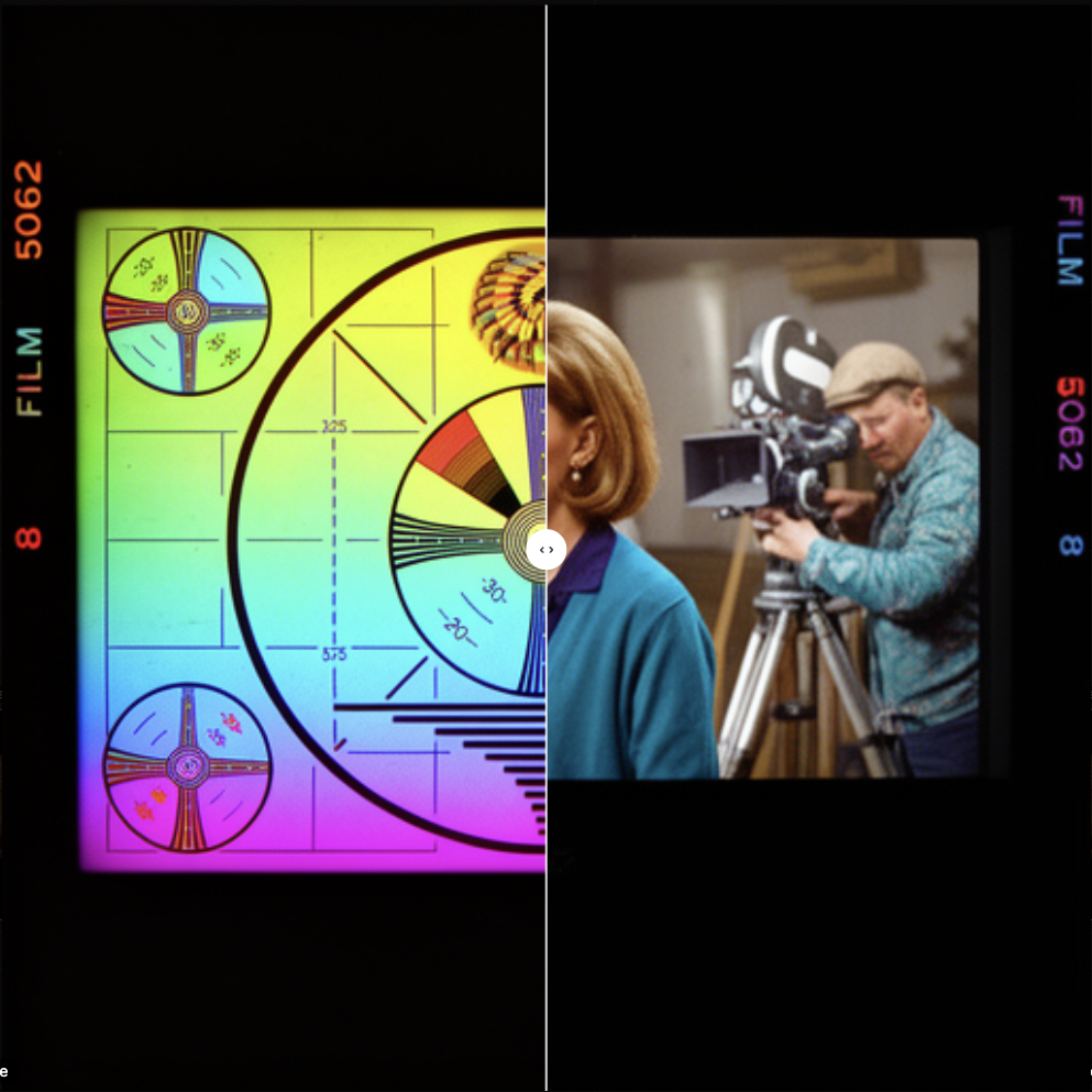
Select two images and Press C to compare. If only one image is selected it will open a comparison of the generation result with it’s inut source instead.
loop
/media/export.mp4CmdSCtrlS downloads the image. CmdShiftCCtrlShiftC copies it as a PNG into your buffer.
Working backwards
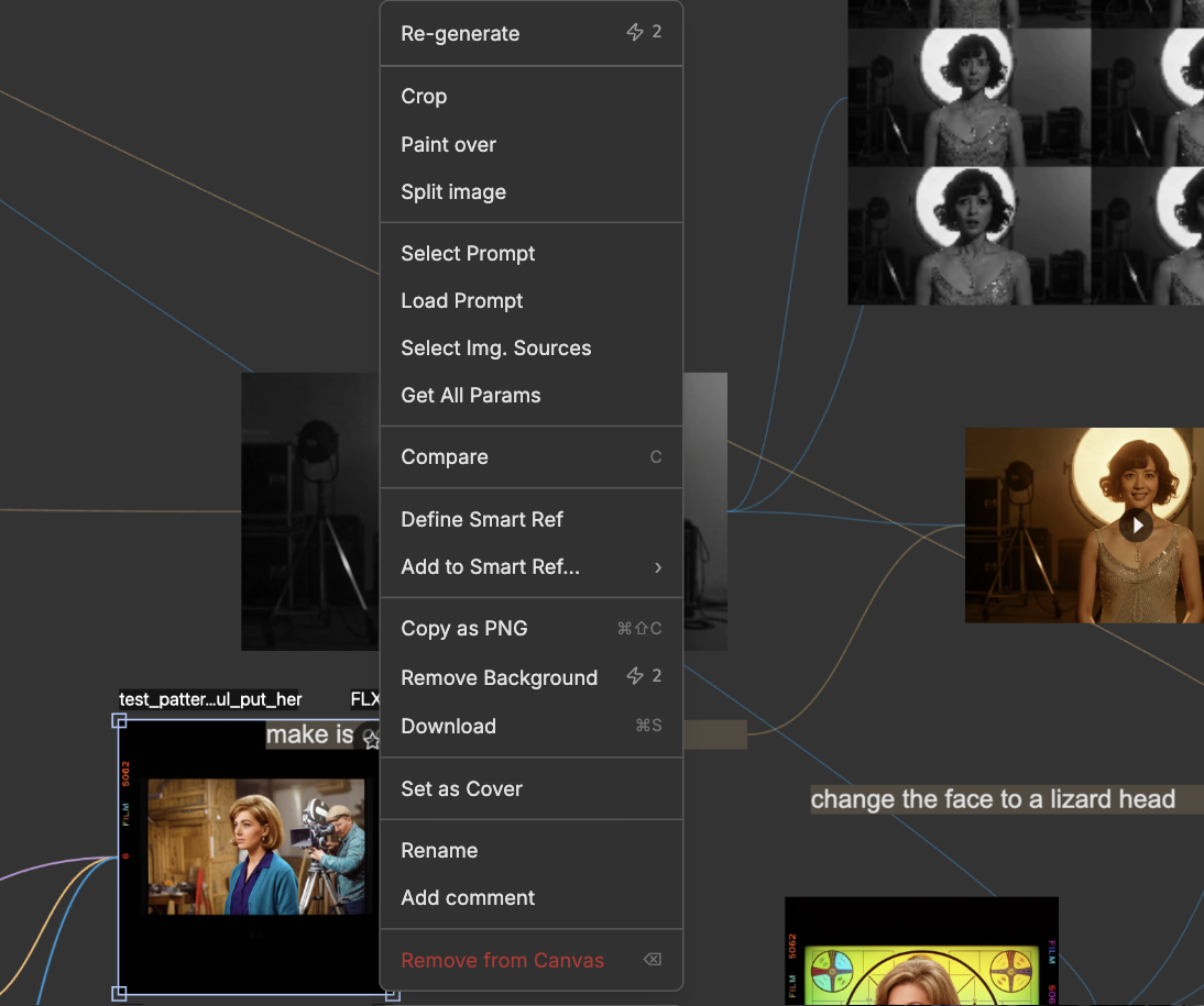
Right-click a result to open a menu with additional actions.
Each row recovers a different part of the generation:
| Menu row | What it does |
|---|---|
| Get All Params | Loads model, quality, shape and prompt back into the panel. Puts everythign on the canvas |
| Load Prompt | Loads only the prompt into the panel |
| Extract Prompt | Creates a new prompt block from the prompt that was used for generation |
| Select Prompt | Selects the prompt block that was used for the generation on the canvas |
| Select Img. Sources | Selects the input images |
| Extract Img. Sources | Spawns the input images |
| Re-generate | Runs the generation again, using the same parametres |
Remove Background is on the same menu. It costs 2 units.
Lineage
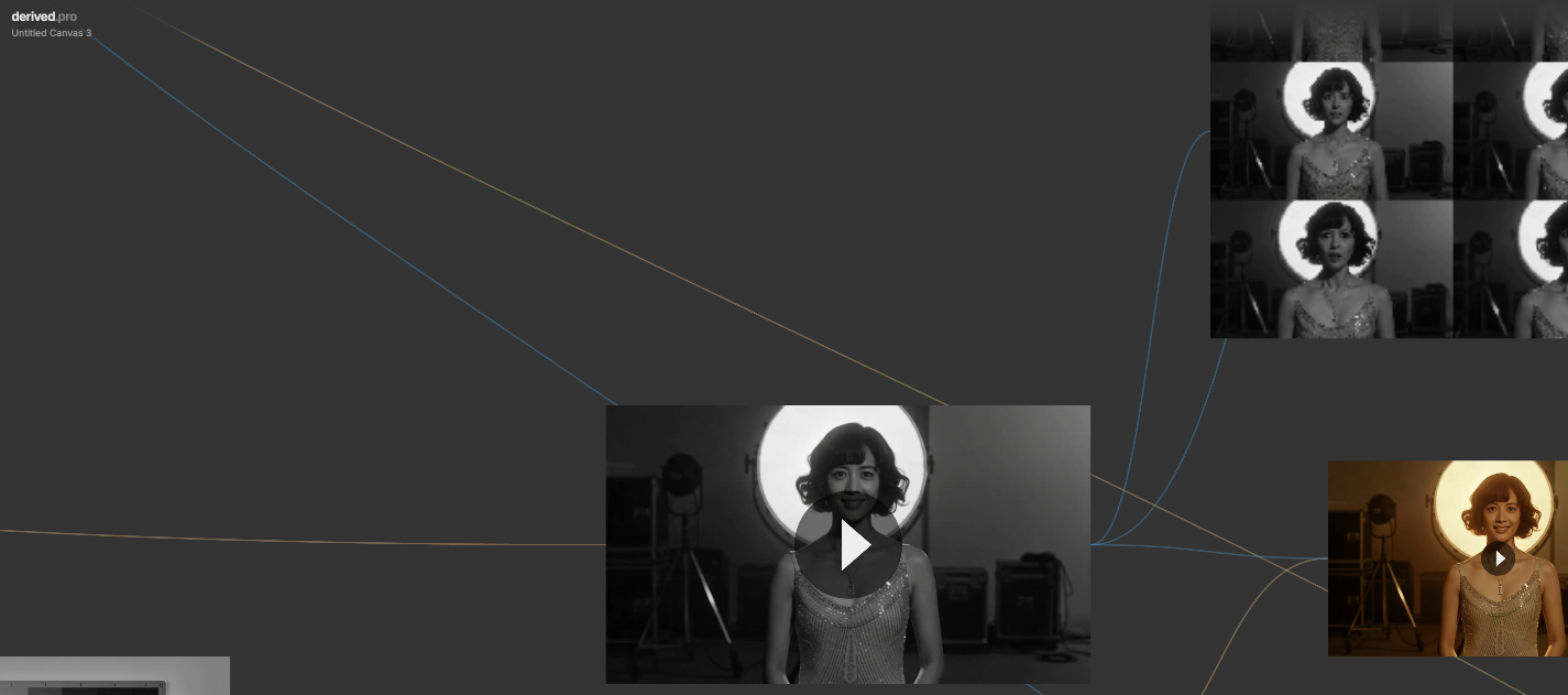
Derived remembers every generation. CmdShiftLCtrlShiftL draws lines from each result to the images, prompt and variables that made it. Click one result to highlight the connections.